Activity Export
Export your aggregated usage data as CSV or PDF from the Activity page.
Overview
The Activity page shows three metrics:
- Spend: Total spend (OpenRouter credits + estimated BYOK spend)
- Tokens: Total tokens used (prompt + completion)
- Requests: Number of AI requests (chatroom included)
Filter by time period (1 Hour, 1 Day, 1 Month, 1 Year) and group by Model, API Key, or Creator (org member). Each time period is sub-grouped by minute, hour, day, and month, respectively.
Estimated BYOK Spend
Dollars spent for external BYOK usage is estimated based on market rates for that provider, and don’t reflect any discounts you might have from them.
How to Export
- Go to openrouter.ai/activity
- Select your time period and grouping
- Open the options dropdown (top right)
- Choose Export to… then CSV or PDF
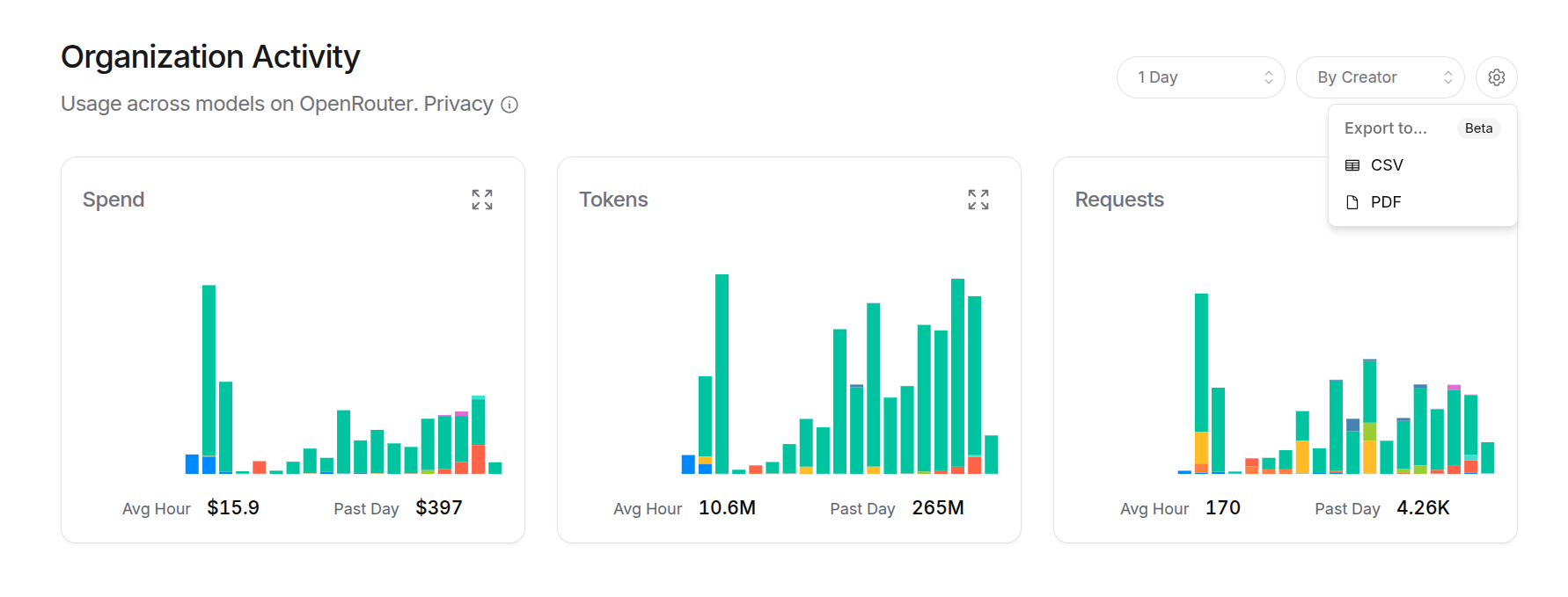
This exports a summary of all three metrics. For detailed breakdowns, click into a specific metric first.
Detailed Exports
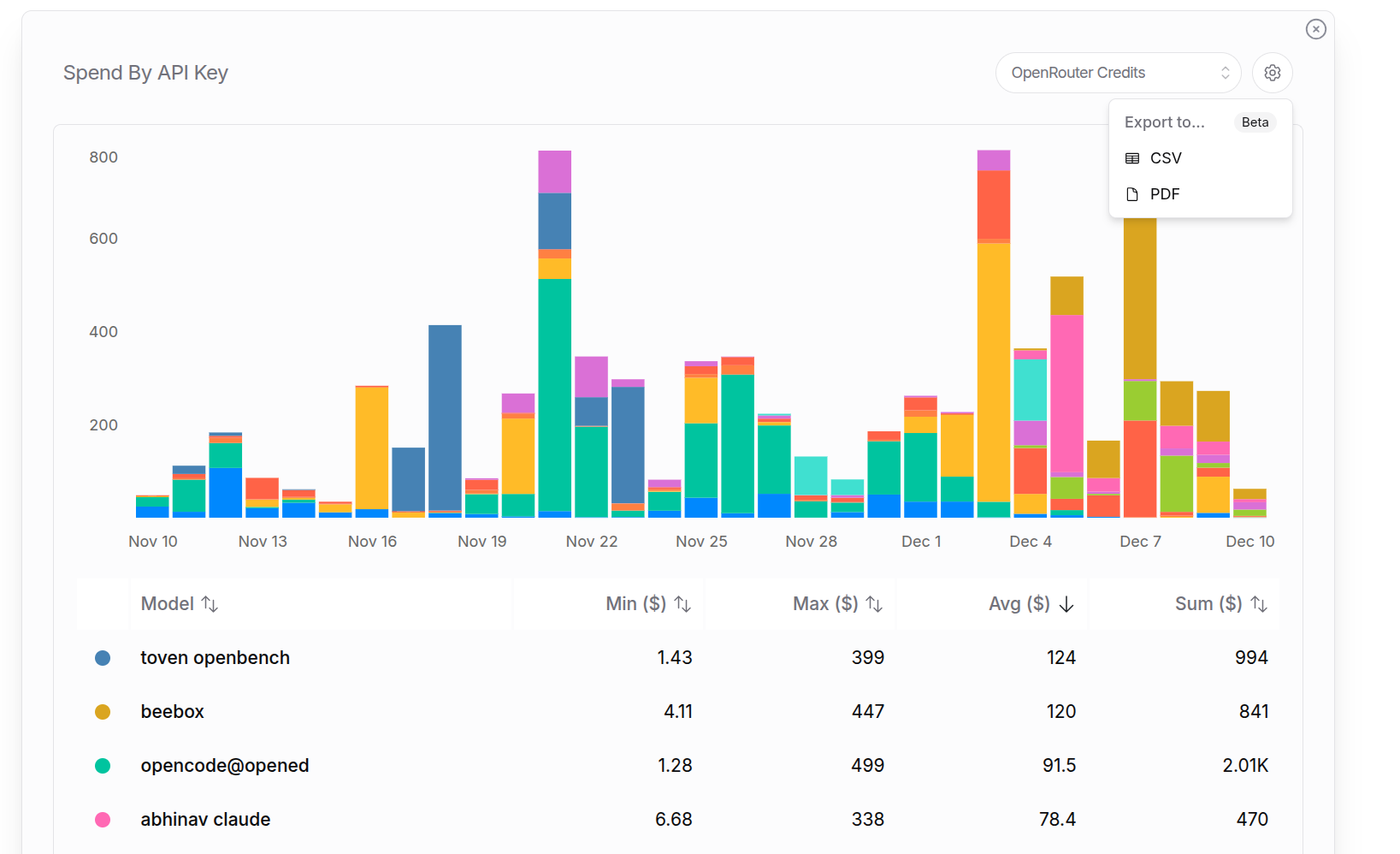
Click any metric card to expand it. From there you can:
- See breakdowns by your selected grouping
- Export the detailed data as CSV or PDF
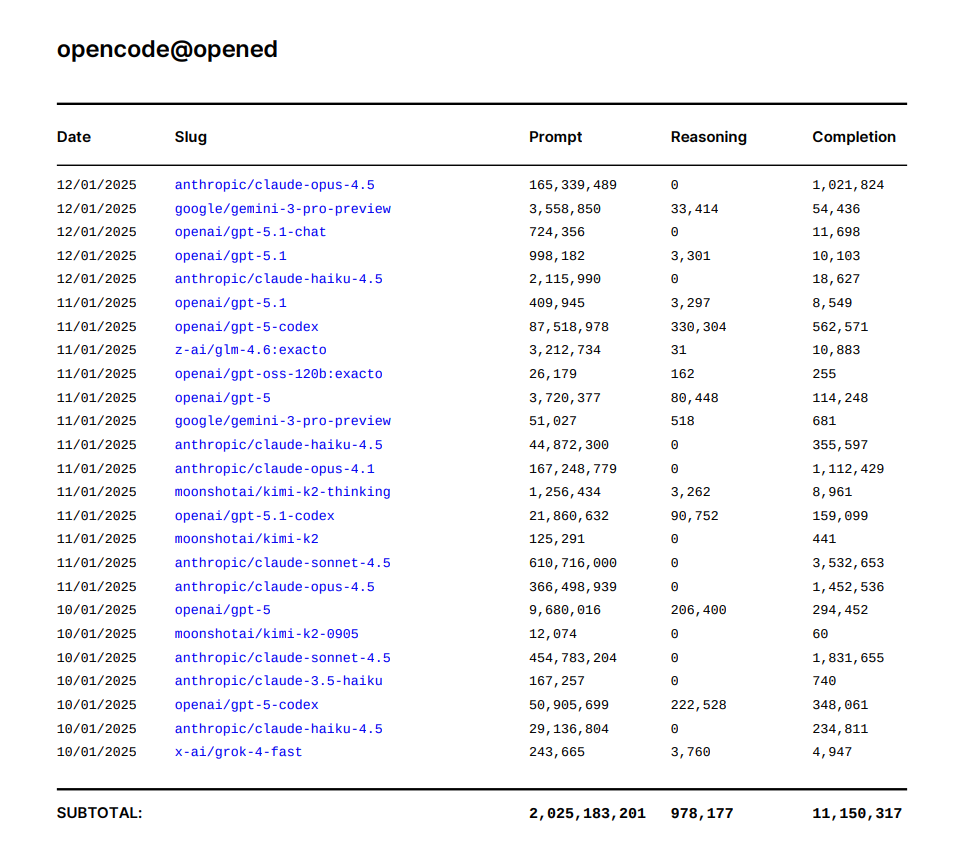
For example, a detailed “Tokens by API Key” export to pdf for the last year. It starts with a summary page for all keys, and then granular breakdowns for each key individually:
Reasoning Tokens
Reasoning tokens are included in completion tokens for billing. This shows how many of the completion tokens were used thinking before responding.

